lohud
- 3.4
- Rating
- 50.00K
- Installs
- Free
- Price

 Analysis by App-foxy
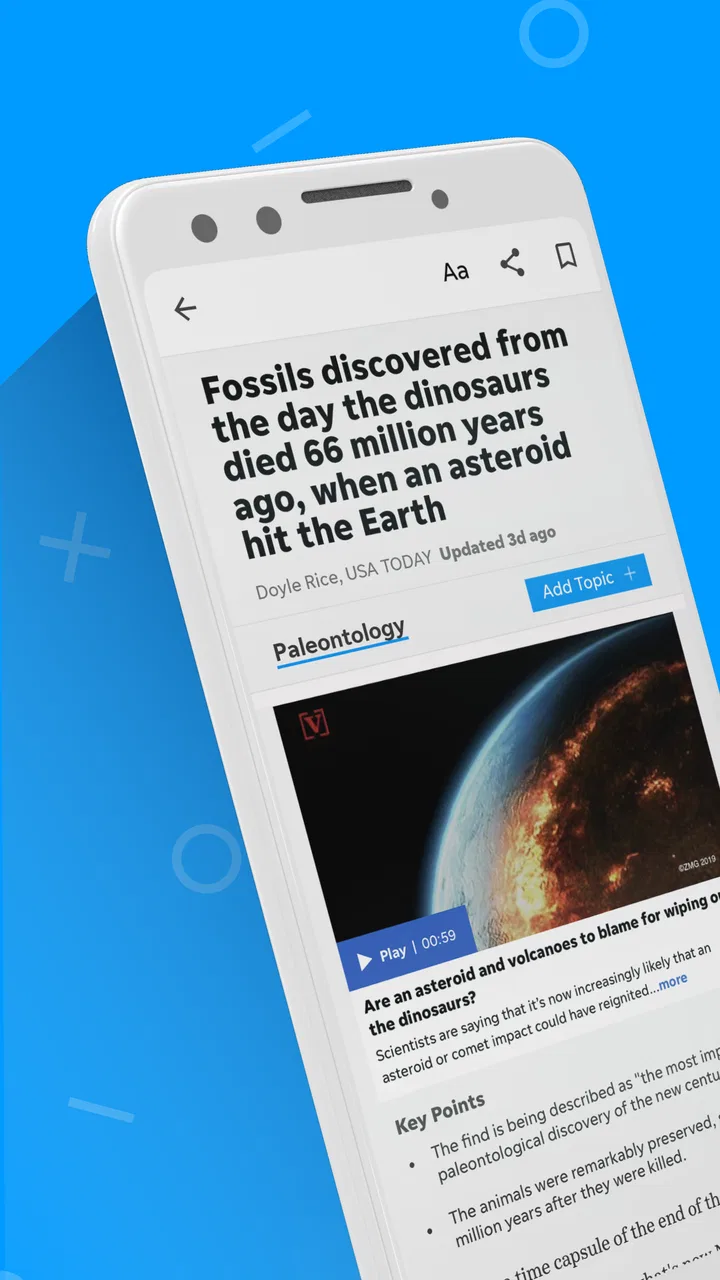
lohud is a local news and magazine app from USA TODAY Co. that I found most useful when I wanted a quick connection to news around the Lower Hudson Valley rather than a broad national feed. It combines local reporting with wider coverage, photography, and video, so it sits somewhere between a community news source and a general news reader. That mix is its main appeal, but it also means the quality of the experience depends heavily on your internet connection and on how much time you want to spend moving through a changing stream of stories.
I approached it as an everyday reader, not as someone checking a headline once and deleting the app. In that role, I liked having local subjects placed alongside national context. A regional story can feel more useful when I can immediately see how it fits into a larger event. At the same time, the app is not the best match for someone who wants a completely quiet, offline reading tool or a highly customizable news dashboard. Its strengths are local relevance, visual presentation, and a direct route to current coverage.
How lohud feels when the connection is doing the work
The first thing I noticed is how dependent the experience is on a live connection. Headlines and story pages are part of a constantly changing news environment, while photographs and video make the app more demanding than a simple text-only reader. When the network is strong, the combination feels natural: I can scan a local headline, open a story, look through its imagery, and move on without needing several separate apps.
You May Also Like

 Blood Strike: 2.5 Anniversary
Blood Strike’s Loadouts Turn Every Drop Into a Tactical Gamble
A close look at Blood Strike’s custom loadouts: how fast access to signature weapons reshapes its battle royale rhythm, rewards preparation, and narrows the gap between fights.

 Pandora - Music & Podcasts
Pandora’s Music Is Easy to Start, but Harder to Recover
Pandora’s strength is its low-effort path from a seed to a station. Its weak spot is how much confidence it asks you to place in connection, setup, and quiet recovery.

 8 Ball Pool
 Is Built on Rivalries, Rematches, and Routine
A close look at the rivalries, rematches, shared routines, and unanswered safety questions that turn a quick pool match into a persistent mobile community.

 Samsung Music
’s Quiet Strength Is Playing What You Already Own
Its reach comes less from spectacle than from dependable access to a personal library. That simplicity is both the app’s strongest retention engine and its ceiling.

 AccuWeather: Weather Radar
AccuWeather Review: A Quick, Clear Forecast for Everyday Decisions
For everyday plans, the best forecast is the one you can understand quickly. AccuWeather makes rain timing, radar, and local conditions easy to act on, with a few trade-offs.

 Hill Climb Racing
Why Hill Climb Racing Still Turns Crashes Into One More Run
A tiny car, a bumpy hill and one more upgrade: Hill Climb Racing keeps resurfacing because its simple chaos makes every near-miss feel personal.
More From Our News Desk
View All News


That same design becomes more noticeable when reception weakens. A headline may be enough to keep browsing, but opening a full article or loading visual material can take longer than expected. I would not choose this app for a commute where I already know the signal will be unreliable. The important distinction is that the app is useful for following current information, not for guaranteeing a smooth reading session in every location.
For me, the best network-dependent moment is checking the app during a short break. I can open it, scan what has changed locally, and decide which item deserves attention. The experience is less satisfying when I expect a long uninterrupted reading session and the connection keeps interrupting image or video loading. In those situations, a conventional browser page with fewer visual elements may feel more predictable.
The live nature of news also affects how I judge the app. A feed can feel valuable precisely because it changes, but that means the content is not a fixed library that I can explore at my own pace. If I return later, the order and prominence of stories may be different. I see that as a normal trade-off for a news app, yet it is worth knowing if you prefer a stable reading queue.
What works during short mobile sessions
lohud makes the most sense on a phone when I have a specific reason to check local coverage. I might be preparing for the day, waiting for an appointment, or trying to understand a regional issue that friends and family are discussing. The local focus gives those brief sessions more purpose than endlessly scrolling through a general national feed.
Its photography is also more meaningful on a mobile screen than it would be in a plain text reader. Images can help me recognize a place, event, or developing situation faster than a paragraph alone. Video can add context when a scene is difficult to describe in words. However, I treat those elements as optional parts of the experience rather than reasons to open every story. They can consume attention and make a quick check turn into a longer session.
A realistic routine would be to open the app in the morning, scan local headlines, read one article that affects my area, and leave the rest for later. At lunch, I might return to see whether a developing story has changed. In that routine, the app earns its place because it reduces the effort of finding regional coverage. I do not need to search several websites or rely only on national outlets that may overlook local details.
People who read news while multitasking should be more selective. The app can help with discovery, but I would not treat a quickly scanned headline as a complete understanding of an issue. News items may require opening the full article, reading the surrounding context, and checking whether a story has developed. My practical tip is to use the feed for triage: identify what matters, then slow down for the few pieces that genuinely affect you.
Local relevance versus broader alternatives
Compared with a large national news app, lohud feels more geographically focused. A national service may offer a wider range of topics and a more generalized stream, while this app is more useful when the question is, “What is happening near me?” That difference matters more than the size of the headline list. If local schools, roads, public events, community decisions, or regional developments are central to your daily life, a focused source can save time.
Compared with reading a newspaper website in a mobile browser, the dedicated app feels more direct for repeat visits. I do not have to begin with a search each time, and the visual presentation is designed for quick mobile browsing. The trade-off is that an app can feel more like a continuous feed, encouraging me to check repeatedly instead of visiting only when I have a specific article in mind.
Compared with a social media feed, I prefer lohud when I want a clearer path to news rather than a mixture of reactions, reposts, and unrelated recommendations. Social platforms may surface local information quickly, but they also make it harder to separate the original report from commentary. This app is a better starting point for a reader who wants local coverage presented as news content rather than as a conversation stream.
It is not automatically the best alternative for everyone. Someone who wants international coverage, extensive personalization, or one unified feed from many publications may prefer a broader news aggregator. Someone who reads only occasional local articles may find a browser sufficient. I recommend lohud most strongly to readers who repeatedly need Lower Hudson Valley coverage and want that focus available from a phone.
When loading fails and how I handle it
The most frustrating moments are not dramatic errors; they are small interruptions that break the rhythm of reading. A story can take longer to open, an image can remain incomplete, or a video can be impractical on a weak connection. Because the app includes rich media, these delays are more visible than they would be in a text-only news service.
My recovery approach is simple. I first return to the main feed rather than repeatedly tapping the same story. If the feed itself is slow, I wait for a stronger connection before trying again. When I only need to confirm whether a headline is relevant, I avoid opening media-heavy items immediately and choose a text-focused story instead. This does not remove the network dependency, but it prevents one stalled page from taking over the entire session.
I also recommend distinguishing between a temporary loading problem and a story that simply needs more time because of its visual content. Repeatedly refreshing is not always helpful, especially when the connection is unstable. A better workflow is to pause, change location if possible, and reopen the article once the signal improves. That is particularly sensible when using mobile data, where unnecessary reloads can add up.
The app is therefore easier to enjoy when I accept that it is a live service. I do not begin a session expecting every article to behave like a permanently stored document. If I need guaranteed access to a particular piece during travel, I would look for another way to save or read it before leaving a reliable connection, rather than assuming the app will provide uninterrupted access later.
Using it carefully on mobile data
Because lohud includes photography and video, I would be cautious with it on a limited mobile plan. I usually start with headlines and text, then open visual material only when it adds real value. This is a more efficient habit than allowing every item to load fully while I scroll. It also keeps short news checks from becoming unexpectedly expensive in data use.
A useful routine is to reserve longer browsing for a dependable Wi-Fi connection and keep mobile sessions focused. I can still check urgent local headlines while away from Wi-Fi, but I avoid playing every video in the feed. When I am interested in a visual story, I decide first whether the image or video will change my understanding. If it will not, reading the article is often enough.
This approach also improves attention. Video can be attractive, but it may distract from the written details that explain what happened, where it happened, and why it matters. I prefer to read first and use the media as supporting context. That is one of the more practical ways to get value from the app without letting its richer presentation dictate every session.
The app is free to install, which makes trying it low-risk, but in-app purchases range from around twenty dollars to around seventy dollars per item. I would pay close attention to any purchase screen and decide whether the access offered fits my reading habits before committing. A casual visitor may not need to spend anything, while a frequent reader should think about the long-term value of any paid option rather than treating it as an automatic upgrade.
Who will get the most from it
I would recommend lohud to people who live in, work in, or have close ties to the Lower Hudson Valley and want local reporting within easy reach. It is also a reasonable choice for readers who appreciate photography and video as part of news coverage, provided they have a reliable connection available much of the time.
The app may suit family members who want to follow regional developments from another location as well. A local-focused source can be more useful than a national feed when the subject is a particular community. The combination of local and national reporting gives me enough breadth to understand the immediate story without leaving the app every time I want wider context.
I would be less enthusiastic about it for someone who wants a minimalist text reader, a fully offline news collection, or one place to combine many unrelated publications. It is also not my first choice for readers who rarely care about regional news. In those cases, a general news app or a browser may be more efficient and less tied to one local editorial focus.
What the app’s numbers suggest about its place
lohud has an average rating of 3.4 from around two hundred ratings and has received around sixty-five written reviews. I read that as a sign of a useful but not universally smooth experience: there is a clear audience for the app, yet some readers are likely to notice issues around performance, content preferences, or the way the service fits their routines.
It has passed fifty thousand installs, which gives it a meaningful mobile audience without making it feel like a generic mass-market news product. The app has been available since May 3, 2012, and its current version is 8.10.3. That long presence matters to me because it suggests the service is intended for ongoing use rather than being a short-lived experiment, while the current version indicates that the mobile experience continues to be maintained.
The age rating is Everyone 10+, a reasonable fit for a news application that may cover real-world events and mature subjects without being an entertainment product aimed at very young children. I would still use ordinary parental judgment, especially if a child is browsing news independently, because current events can be unsettling even when an app is broadly accessible.
My connectivity verdict
After using it as a local news reader, I see lohud as a focused companion for people who want regional information quickly on a phone. Its strongest moments happen with a stable connection: headlines are easy to scan, local relevance is clear, and photographs or video can add a sense of place that a plain text feed lacks. The app is especially effective when I need to understand what is happening nearby rather than simply consume the biggest national stories.
Its main limitation is equally clear. The experience depends on current network access, and the richer the story, the more noticeable that dependency can become. I would not choose it as my only source for a trip through unreliable coverage, nor would I use it casually on a restricted data plan without controlling how much media I open.
My recommendation is to use lohud as a deliberate local-news check, not as an always-on replacement for every news source. Keep sessions focused, read beyond the headline, save heavier browsing for a stronger connection, and compare it with a broader service when you need national or international range. For the right reader, that balance makes the app worthwhile: it brings local reporting closer to everyday mobile life while being honest about the limits created by connectivity and media-rich content.
As a free News & Magazines app from USA TODAY Co., it is easy to try and simple to judge by your own location and reading habits. I would install it if local Lower Hudson Valley coverage is important to me, especially if I value visual storytelling. I would skip it in favor of a broader or more offline-friendly alternative if dependable access away from a network matters more than local focus.
FAQs for lohud
01What is lohud, and what can I use it for?
lohud is a news and information app focused on local coverage, including community stories, breaking news, sports, weather, entertainment, and regional updates. After installing it, you can browse the latest articles, follow topics that interest you, and stay informed through a mobile-friendly reading experience. Content availability may vary depending on your location and the publication’s current coverage area.
02Is the lohud app free to download and use?
The lohud app can generally be downloaded at no cost from the supported app store, allowing users to access at least some news and features for free. However, certain articles or premium content may require a subscription, account, or digital access plan. Before downloading, check the current store listing and subscription terms, since pricing, trial offers, and access limits can change.
03Does lohud require a subscription to read all articles?
Not necessarily. The app may provide a selection of free articles, while access to additional stories can be limited by a digital subscription or metered paywall. If you frequently read lohud, subscribing may unlock broader access and other subscriber benefits. Review the in-app prompts carefully before confirming payment, especially if a free trial automatically changes into a recurring subscription.
04Does lohud send breaking-news and other notifications?
lohud may offer notifications for breaking news, important local developments, sports updates, weather information, or other selected topics. During setup, you can usually decide whether to allow notifications, and some versions may let you adjust categories later in the app or device settings. If alerts become too frequent, disabling individual categories or all notifications can help reduce interruptions.
05What should I check before downloading lohud?
Before installing lohud, confirm that your Android or iOS device meets the current operating-system requirements and has enough available storage. You should also review the app’s privacy details, permissions, subscription conditions, and recent user feedback. A stable internet connection is recommended for loading articles, images, and videos, while some features may not work fully when you are offline.
Pros
- Clear local news coverage focused on the Lower Hudson Valley.
- Useful mix of breaking news
- weather
- sports
- and community stories.
- Push alerts can help users stay informed about urgent local updates.
- Article sharing makes it easy to send stories to friends and family.
- Digital access is convenient for readers who prefer news on the go.
Cons
- Some content may require a subscription or account for full access.
- Ad placements can make browsing feel less streamlined.
- Coverage is highly regional and may feel limited outside the area.
- Frequent notifications may become distracting without customization.
- App performance and loading speed can vary with connection quality.

lohud
Gallery